01
Your market overview
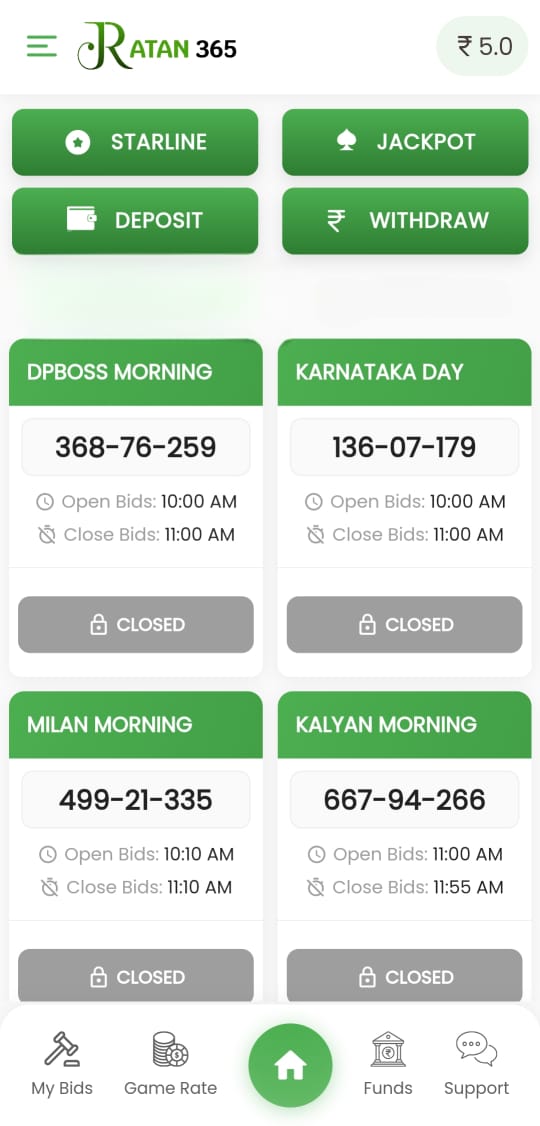
Find market names, opening times, and closing times together in the app.

RATAN 365 · ANDROID APP
Meet your everyday market companion. A clear overview, simple navigation, and support when you need it.
For Android phones · Help in English & Hindi
A CLOSER LOOK
The essentials, thoughtfully brought together. Get to the parts of your app that matter to you.
Find market names, opening times, and closing times together in the app.
Open the Game Rate section from the app’s bottom navigation.
Access Support inside the app or contact the team on WhatsApp.
GETTING STARTED
Tap Download App to save the app file to your Android phone.
Open the downloaded file. Our installation guide walks you through the next steps.
Open Ratan 365 and explore the app. Support is there when you need it.
GOOD TO KNOW
Tap any Download App button to download the Android app directly. You can find step-by-step instructions in the installation guide.
This download is for Android phones and cannot be installed on an iPhone.
Look in your browser’s Downloads, or open the Downloads folder in your phone’s Files app.
Use the WhatsApp support button on this page, or open Support inside the Ratan 365 app.
RATAN 365
Get the app on your Android phone.